Writing archive

Notes from building things.

Tutorials, technical explorations, and stories gathered across full-stack web and mobile development.

31 posts

Tutorial

Export multiple charts to PDF with React and jsPDF

Highcharts renders SVG, which jsPDF can't add directly, so convert each chart element to a PNG with html-to-image and add it with jsPDF's addImage. When the next chart doesn't fit on the page, call addPage, then download the file with save().

ReactHighchartsTypeScript
Tutorial

How to create custom reusable ESLint, TypeScript, Prettier config for React apps

Create an npm package named eslint-config-<name>, configure ESLint for TypeScript and React plus Prettier, export the config from index.js, and declare the plugins as peerDependencies. Publish it and extend it from any project's .eslintrc. Husky and lint-staged then lint staged files before each commit.

ReactTypeScriptESLint
Tutorial

Next.js Dashboard layout with TypeScript and Styled components

Wrap pages in a DashboardLayout component with a header, sidebar, content and footer styled with styled-components, and add a custom _document so styles render on the server. A useState flag toggles the sidebar width, and the multilevel menu is built from a typed menu-items constant with nested subItems.

ReactNext.jsDashboard
Showcase

Next.js, Material UI, MongoDB Personal Dashboard

Overview of how I built the dashboard for my personal projects using Next.js, Material UI, MongoDB, with dev.to, GitHub, Twitter, and npm API integration.

ReactMaterial UINext.js
Tutorial

React Native Internationalization with i18next

Install i18next and react-i18next, initialize them with your translations, and render text with the t function from useTranslation. A Node script with google-spreadsheet writes translations from a Google Sheet into the app, and a custom languageDetector plugin saves the chosen language in AsyncStorage and falls back to the device locale.

React NativeInternationalization
Tutorial

React: enable Google Analytics after a user grants consent

Initialize react-ga only in the onAccept handler of the react-cookie-consent banner. On later visits, call getCookieConsentValue in useEffect and initialize Google Analytics if consent was given. On decline, remove the _ga, _gat and _gid cookies.

ReactGoogle Analytics
Tutorial

Dashboard layout with React.js and Material-UI

Stack a header, a flex container and a footer in a column, and inside the container put the drawer next to the content, which takes the rest of the space with flex: 1. A useState boolean toggles the drawer. The second part builds the same layout with Material UI's AppBar, Toolbar and Drawer.

ReactMaterial UIDashboard
Tutorial

React: How to create a custom Button Group component in 5 minutes

Map an array of labels to buttons, keep the index of the clicked button in useState (starting at -1 so none is selected), and give that button an active CSS class. Wrap it in a ButtonGroup component that takes the labels and a doSomethingAfterClick callback.

Reactcomponent
Tutorial

How to write and use custom hooks in React.js

A custom hook is a function whose name starts with use and that calls other hooks, so components can share stateful logic. This tutorial writes three: useSmoothScroll wraps useRef and scrollIntoView, useDocTitle sets document.title in useEffect, and useRoute changes the URL with history.pushState without a reload.

React
Tutorial

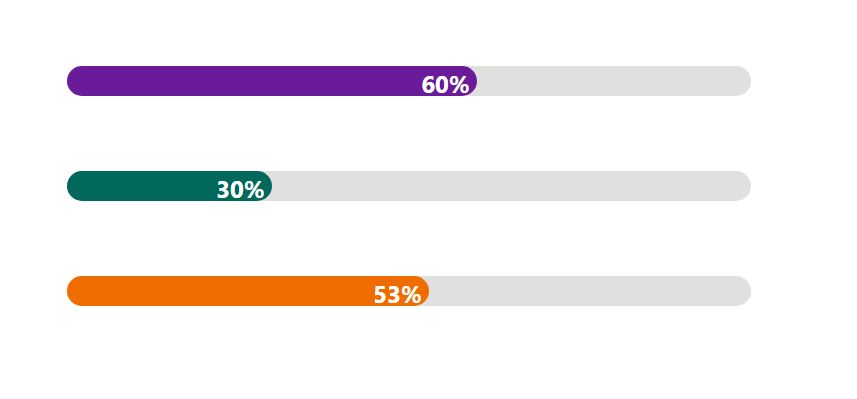
React: How to create a custom progress bar component in 5 minutes

Render a full-width container div with a filler div inside whose width is the completed percentage, and show the number in a label. The component takes two props, bgcolor and completed (0 to 100). Add transition: width 1s ease-in-out to the filler to animate changes.

ReactJavaScript
Tutorial

How to upload a file to Amazon S3 in Java (using Vaadin framework)

Create an S3 bucket and an IAM user with programmatic access to that bucket only, then add aws-java-sdk to the Spring Boot project. Build the client with AmazonS3ClientBuilder and the user's keys, and in the Vaadin Upload component's succeeded listener send the buffered file with putObject.

VaadinJavaAWS
Tutorial

Javascript: how to merge multiple objects with sum of values

Loop over the array with forEach, read each object's key-value pairs with Object.entries(), and add each value to a result object under the same key. A key seen for the first time starts at its value. The result is one object with the sum for every key.

Javascript
Story

Tabata - Fitness App: my first personal project

Tabata App is a web app for short home HIIT workouts. It runs a 20-second work and 10-second rest timer with a voice countdown, builds random or hand-picked workouts with exercise videos, and installs on phones as a PWA. I built it with React, Redux, Spring Boot, PostgreSQL, and Vaadin.

ProjectDevelopment
Review

Vaadin: Drag and Drop Feature

In Vaadin 14.1 generic drag and drop feature was introduced. This blog post is a review of this feature based on the example of developing a simple football coach app.

VaadinJava
Tutorial

Vaadin – Keycloak – Spring Security integration

Add the Keycloak Spring Boot starter and Spring Security to the Vaadin app, set the vaadin-ui client properties, and extend KeycloakWebSecurityConfigurerAdapter. Replace RestTemplate with KeycloakRestTemplate so backend calls carry the user's bearer token, and add a logout link to Keycloak's OpenID Connect logout endpoint.

VaadinSpring BootSpring SecurityKeycloakJava
Tutorial

Spring Boot – Keycloak – Spring Security integration

Add the keycloak-spring-boot-starter and spring-boot-starter-security dependencies, put the Keycloak client settings in application.properties, and extend KeycloakWebSecurityConfigurerAdapter with role rules. A KeycloakSpringBootConfigResolver bean works around a startup error in Keycloak adapter 8.0.1.

Spring BootSpring SecurityKeycloakJava
Tutorial

Keycloak: clients configuration

In the Keycloak admin console, open Clients, click Create, and enter a Client ID and root URL for each app, here the Spring Boot backend and the Vaadin frontend. The Installation tab exports the Keycloak OIDC JSON settings each app needs.

Keycloak
Tutorial

Keycloak: adding roles and users

In the Keycloak admin console, open Roles and add the user and admin roles. Then open Users, add a user, set a password on the Credentials tab, and assign a role on the Role Mapping tab.

Keycloak
Tutorial

Keycloak server installation and Realm creation

Download the Keycloak server, optionally change its HTTP port in standalone/configuration/standalone.xml, and start it with bin/standalone.sh (standalone.bat on Windows). Then create an admin user at localhost:<port>/auth and add a realm from the Master drop-down in the admin console.

Keycloak
Tutorial

Setting up Vaadin Spring Boot Frontend App

Generate a Vaadin 14 Spring Boot project at vaadin.com/start, add a RestTemplate client service that calls the backend REST API, and add MonthsView and AdminView routes that show its data. The frontend runs on its own port, 9998 in this tutorial.

VaadinSpring BootJavaKeycloak
Tutorial

How to Deploy Vaadin 14 App To Heroku

Add frontend-maven-plugin and heroku-maven-plugin to the Vaadin 14 project's pom.xml and add the prepare-frontend goal to the production profile. Create the app with heroku create, then deploy with mvn clean package -Pproduction heroku:deploy.

VaadinHerokuJavaWeb DevelopmentPWA
PWA

What is Progressive Web App (PWA)

Progressive Web Application (PWA) is an application software, that combines regular web pages and native mobile apps. It gives users a native-like experience by making a web application function like a desktop or mobile app.

Web Development